Laser crafters often price by looking at what others charge, then knock a dollar off. The result is a busy shop that barely pays for its plywood. A better price starts from your own costs. Here is a simple formula and a worked example you can adapt.
The formula
Price = (materials + machine time + labor + packaging) + fees + profit
Each part is easy to estimate once. After that, you only update the numbers when your supplier or marketplace changes theirs.
1. Materials: count per sheet, not per item
Work out how many items fit on one sheet, then divide.
- A 12 x 20 in sheet of 3 mm birch plywood costs you $4.00 and fits 12 ornaments: $0.33 per ornament.
- Add the small things: ribbon, magnets, finishing oil, a share of the masking tape.
- Add a little for waste and test cuts. Most makers add 10 to 15%.
2. Machine time: your laser has a cost per hour
Your machine wears out, uses power, and needs lenses, filters and repairs. A simple estimate:
- Machine price divided by the hours you expect to use it over its life. A $2,000 laser used for 2,000 hours costs $1.00 per hour before anything else.
- Add electricity, air assist and exhaust, and consumables (lenses, filters, honeycomb). Many hobby shops end up between $2 and $5 per running hour.
Time the actual job, from the moment the laser starts to the moment it stops. A 6-minute engrave at $3 per hour is $0.30. It sounds small, but it adds up on large orders.
3. Labor: pay yourself
Design, setting up the job, weeding masking, sanding, assembling, photographing, answering messages, packing. Decide an hourly rate you would accept from someone else, then estimate the minutes per item. Batching lowers this a lot: masking and loading one sheet of 12 ornaments takes nearly the same time as one.
4. Packaging and shipping supplies
Bags, boxes, tissue, labels, thank-you cards. Price them per item. If you offer free shipping, include the postage in the item price.
5. Fees
Marketplaces take a listing fee, a percentage of the sale and a payment processing fee, and some add advertising fees. Look up the current numbers for your platform and add them to your price, because they are charged on the selling price, not on your costs.
6. Profit
Profit is not your salary: you already paid yourself in labor. It is what lets you buy a second machine, try new materials and survive a slow month. A common starting point for handmade goods is 30% or more on top of your total cost.
A worked example: personalized ornament
- Plywood (12 per sheet) plus 10% waste: $0.37
- Ribbon and finish: $0.25
- Machine time, 6 minutes at $3 per hour: $0.30
- Labor, 8 minutes at $20 per hour: $2.67
- Packaging: $0.60
- Total cost: $4.19
With 35% profit, you need about $5.66 per ornament after fees. If your marketplace takes around 10% of the sale plus $0.25, a listing price of about $6.60 keeps the margin you planned, and $6.95 leaves a small cushion. Personalization adds design time, so charge for it separately or build it into a higher price.
Pricing mistakes to avoid
- Forgetting your time. If labor is not in the price, your "profit" is really your wages.
- Pricing from the material only. Plywood is the cheapest part of most laser products.
- Ignoring failed cuts. Every misaligned engraving is a cost. Your waste percentage covers it.
- Racing the cheapest seller. Compete on quality, finish, photos and personalization instead.
- Never updating prices. When plywood or fees go up, your prices should too.
Do the math once, then let a spreadsheet do it
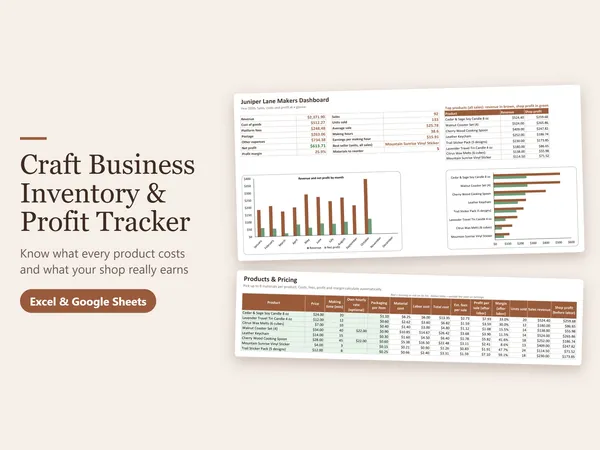
Writing this out for every product takes time. Our Craft Business Inventory & Profit Tracker stores your materials with their pack price and units per pack, builds each product from up to 8 materials, adds labor at your hourly rate, packaging and estimated fees, and shows the profit and margin per sale. Your sales log then shows what each product really earns over the month. It works in Excel and Google Sheets.
Getting a clean fit on boxes and inlays saves material too: see how to measure laser kerf.