About this file pack
Lost the 17/64 again? Each bit gets its own hole with its size raised right in front of it, so you can read it at a glance and put every bit back in the right place.
The pack covers every 64th from 1/16 to 1/2 inch and every half millimetre from 1 to 13 mm: 54 sizes on 6 blocks. Every block prints flat without supports and fits a 180 mm bed.
Details
- One hole per bit, 0.35 mm larger than the bit so it slides in and stands straight
- Chamfered hole entries so each bit drops right in
- Raised size numbers in front of every hole; the left end shows INCH or MM
- Closed bottoms: bits rest on 3 mm of plastic, nothing falls through
- Optional two-color numbers: add a filament change at 22 mm in your slicer
Print settings
- PLA or PETG, 0.4 mm nozzle, 0.2 mm layers, 3 walls, 15 to 20% infill
- No supports: print each block flat, as it is in the file, at 100% scale (files in millimetres)
- Print the small fit test first. The README explains how to adjust the holes if your printer prints them tighter or looser
Good to know
- Product images are 3D renders of the files. Drill bits are not included
- You get STL files to slice and STEP files to change the blocks in a CAD program
- Personal use license: print as many as you like for yourself. Sharing or selling the files or prints made from them is not allowed
What's in the pack (6 blocks)
- Fractional, every 64th from 1/16 to 1/2 in: 29 bits on 3 blocks (1/16 to 13/64, 7/32 to 23/64, 3/8 to 1/2)
- Metric, every 0.5 mm from 1 to 13 mm: 25 bits on 3 blocks (1 to 5, 5.5 to 9.5, 10 to 13 mm)
- Fit test plate: holes for a 1/8, 1/4 and 1/2 in bit with 3 clearances each, to check the fit on your printer first
Look inside
File details
- Format
- STL + STEP, in millimetres
- Printer
- Any FDM printer, bed of 180 x 180 mm or more
- License
- Personal use
- Delivery
- Instant download, 1 file
| File | Type | Size |
|---|---|---|
| Drill_Bit_Index_Fractional_Metric.zip | ZIP (STL + STEP) | 13.2 MB |
Personal use. Please do not resell or share the files. About licenses
Questions
How do I get my files?
Right after payment, your download links appear on screen and arrive by email. Each link works for 7 days and 5 downloads, so save the files to your device.
Which printers does it work with?
Any FDM printer and slicer that opens STL files (Bambu Studio, PrusaSlicer, Cura, OrcaSlicer). The STEP files open in CAD programs such as Fusion or FreeCAD if you want to change a part.
Will anything be shipped?
No. This is a digital download. Nothing is mailed to you, and there are no shipping costs.
What if a file does not work?
Write to us and we will fix it or send a new file. You can also ask for a full refund within 14 days, no questions asked.
You may also like
All 3d print-
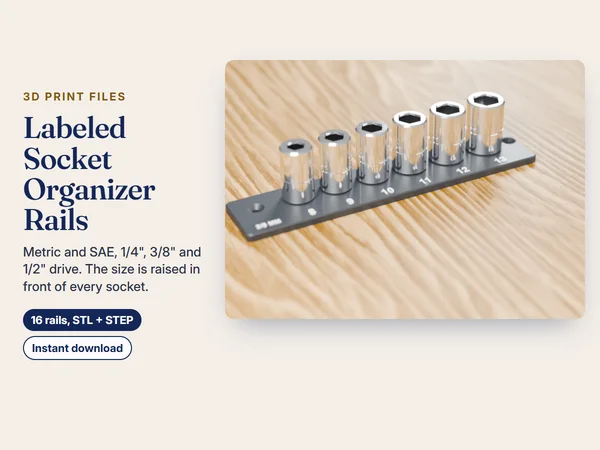 Labeled Socket Organizer Rails, Metric & SAE
16 rails for 1/4", 3/8" and 1/2" drive sockets, with the size raised in front of every socket.
-
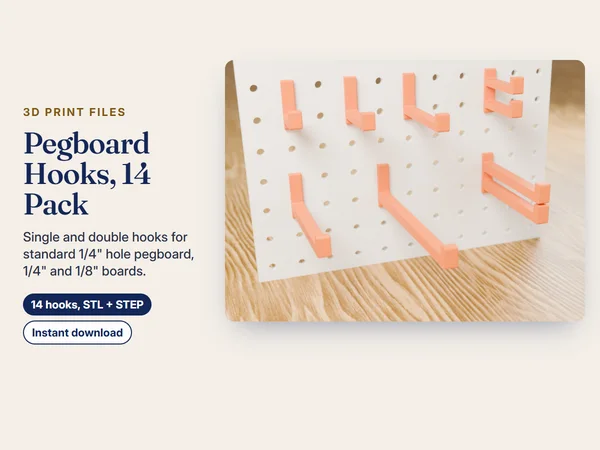 Pegboard Hooks, 14 Pack, Single & Double
Locking hooks for standard 1/4" hole pegboard, for 1/4" and 1/8" thick boards.
-
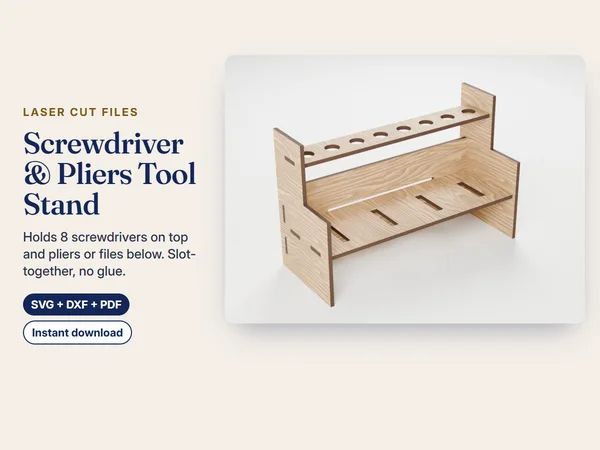 Screwdriver & Pliers Tool Stand, Laser Cut Files
A slot-together stand for 8 screwdrivers and pliers. SVG, DXF and PDF for 3 mm and 1/8" plywood.